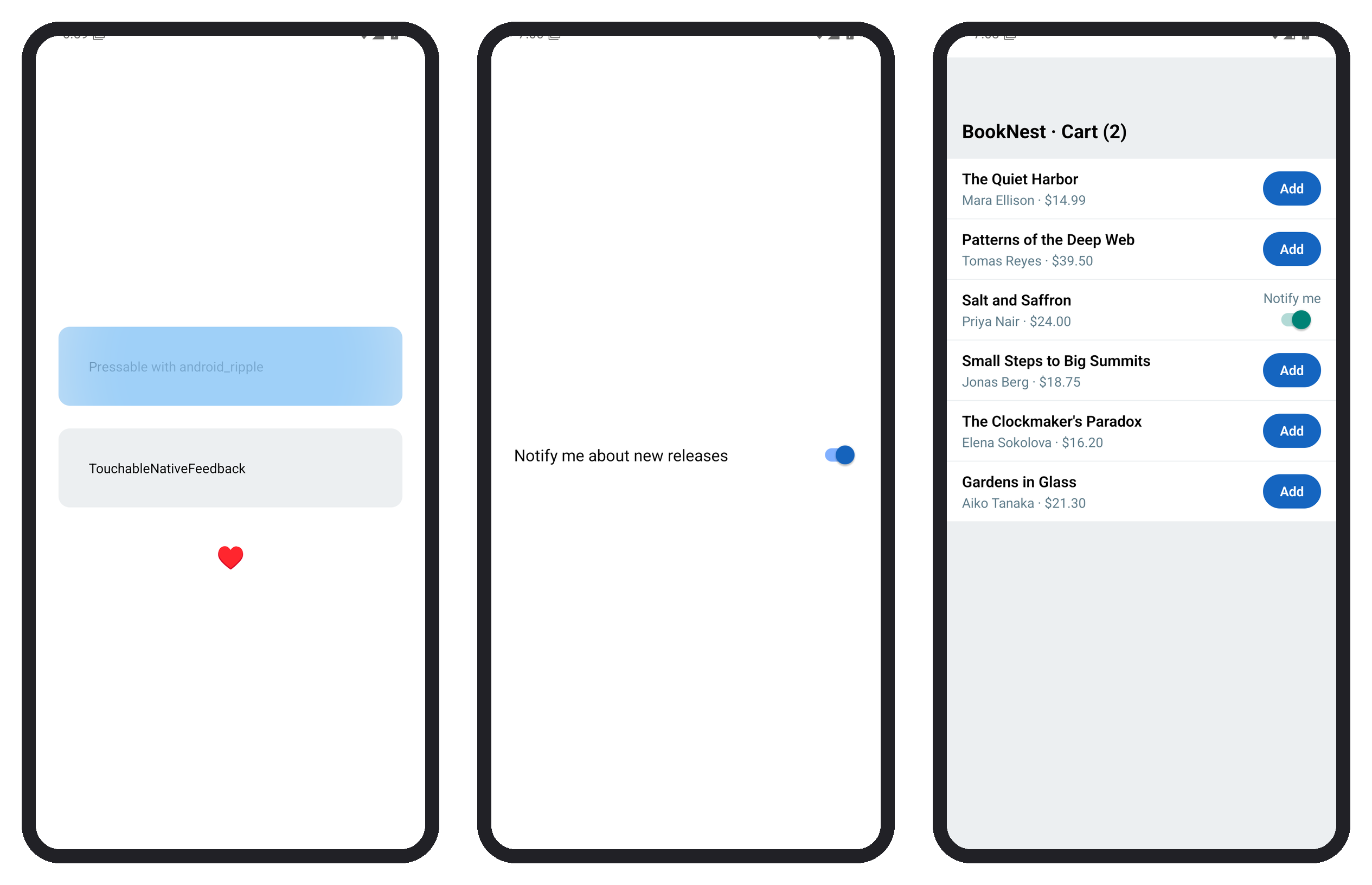
In BookNest's catalog row, the whole row is a Pressable that opens the book, with a ripple and a pressed tint. In-stock books get an Add button with a 10 dp slop and a light haptic bump; sold-out books get a Notify me Switch. Every control has a role and a label:
    <Pressable
      onPress={() => onOpen(book)}
      android_ripple={{ color: '#bbdefb' }}
      style={({ pressed }) => [styles.row, pressed && styles.rowPressed]}
      role="button"
      aria-label={`${book.title} by ${book.author}, ${price}`}
    >
      ...
      {book.inStock ? (
        <Pressable
          hitSlop={10}
          onPress={() => {
            onAdd(book);
            Haptics.impactAsync(Haptics.ImpactFeedbackStyle.Light);
          }}
          style={({ pressed }) => [styles.add, pressed && { opacity: 0.6 }]}
          role="button"
          aria-label={`Add ${book.title} to cart`}
        >
          <Text style={styles.addText}>Add</Text>
        </Pressable>
      ) : (
The sold-out branch renders the Switch with an aria-label naming the book. Rows are at least 64 dp tall and the Add button 36 dp plus its slop, clearing the 48 dp minimum. Tapping Add on the first two rows, the switch on Salt and Saffron and then the Gardens in Glass row logged only open 6 and left "Cart (2)": the responder system gives a touch to the deepest view that wants it, so Add never opened its row.