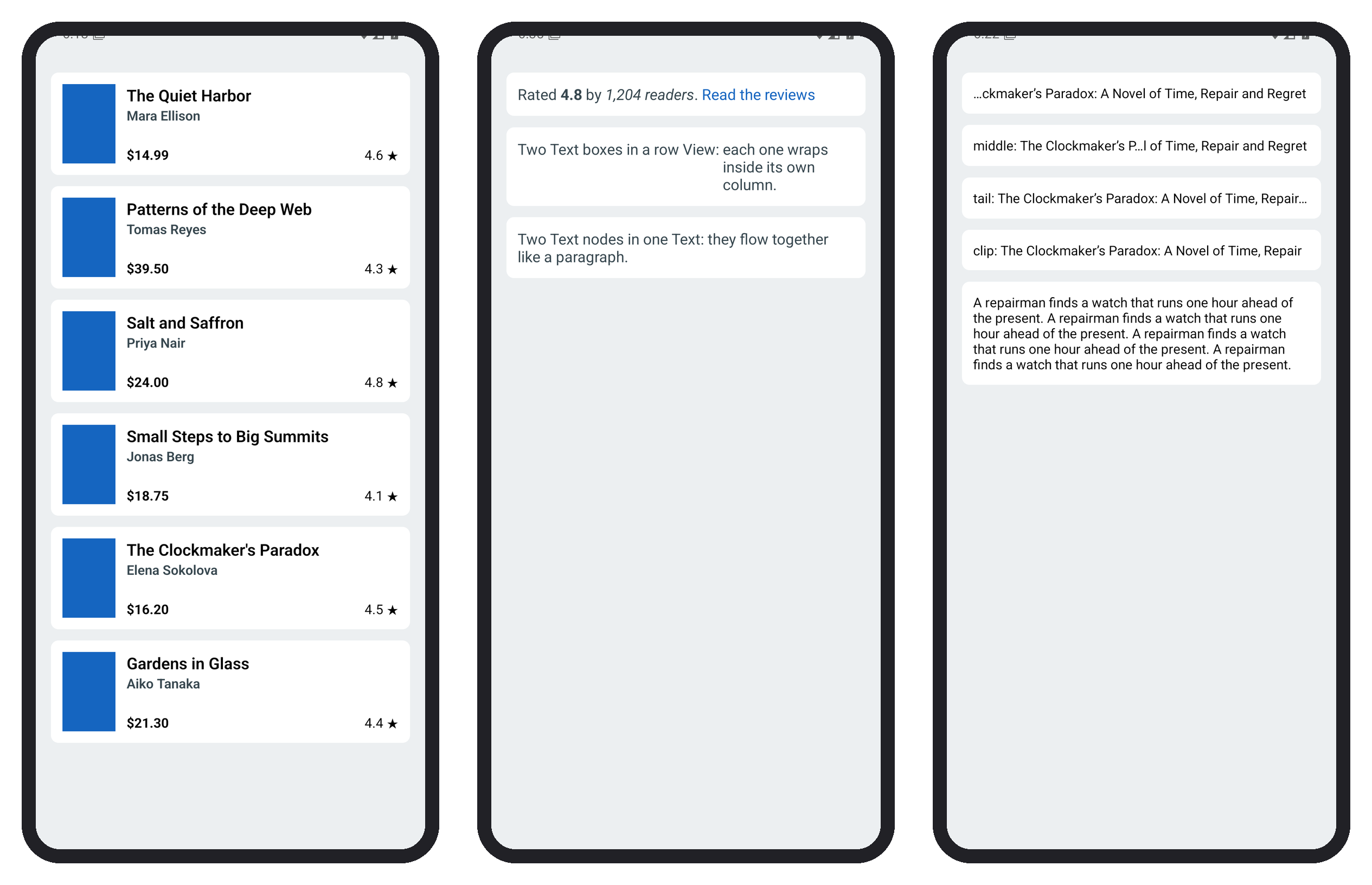
A card must not grow with its title. numberOfLines truncates text after that many lines, and ellipsizeMode places the ellipsis: 'head' (…wxyz), 'middle' (ab…yz), 'tail' (the default) or 'clip' (no ellipsis). numberOfLines={0} removes the limit, so "read more" is one state change. MODES lists the four modes, TITLE is a 60-character title and BLURB a summary repeated four times:
      {MODES.map((mode) => (
        <Text key={mode} style={ui.card} numberOfLines={1} ellipsizeMode={mode}>
          {mode}: {TITLE}
        </Text>
      ))}
      <Text style={ui.card} numberOfLines={open ? 0 : 3} onPress={() => setOpen(!open)}
        onTextLayout={(e) => console.log('lines:', e.nativeEvent.lines.length)}>
        {BLURB}
      </Text>
onTextLayout reports the lines actually drawn: three while collapsed, five after one tap (right screen):
 LOG  lines: 3
 LOG  lines: 5
With numberOfLines above 1, only 'tail' works correctly on Android, so keep the other modes for single lines such as file names. adjustsFontSizeToFit with minimumFontScale shrinks a label to fit instead, but it defeats the user's font-size setting, so prefer truncation for body text.