Without files to read, React Navigation 407,918 needs the tree declared in code. Each create...Navigator() call returns a Navigator and a Screen component, one NavigationContainer at the root holds the state of the whole tree, and you nest by making a navigator another screen's component. This demo puts two tabs in a drawer:
function Shop() {                                    // tabs nested inside a drawer screen
  return (
    <Tab.Navigator screenOptions={({ route }) => ({
      headerShown: false,                            // the drawer already draws a header
      tabBarIcon: ({ color, size }) => <Ionicons color={color} size={size}
        name={route.name === 'Catalog' ? 'library-outline' : 'cart-outline'} />,
    })}>
      <Tab.Screen name="Catalog" component={Catalog} />
      <Tab.Screen name="Cart" component={Cart} options={{ tabBarBadge: 2 }} />
    </Tab.Navigator>
  );
}
// ...
      <Drawer.Navigator>
        <Drawer.Screen name="Shop" component={Shop} options={{ title: 'BookNest' }} />
        <Drawer.Screen name="Settings" component={Settings} />
      </Drawer.Navigator>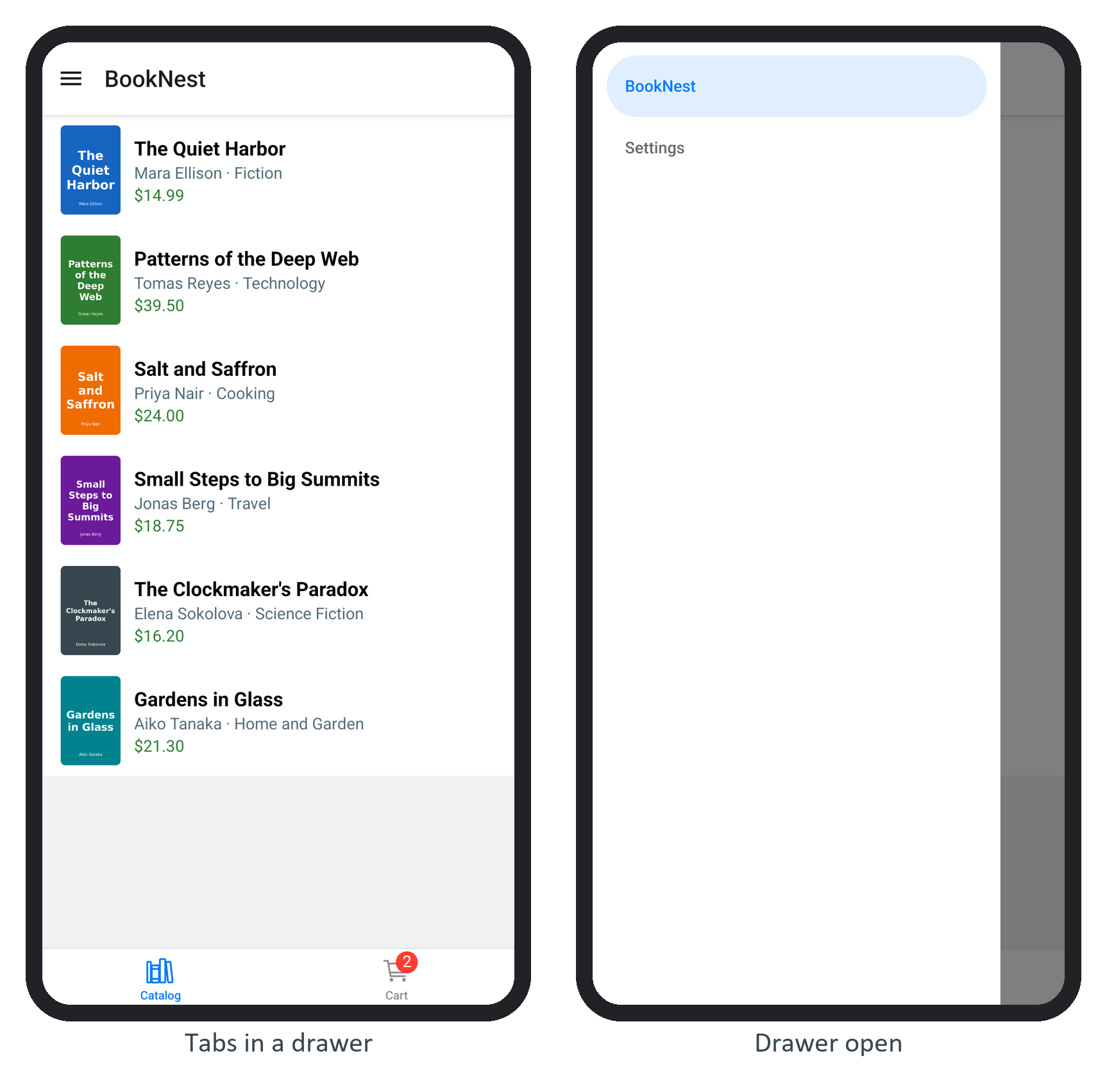
The drawer draws the header with a menu button, so the tabs turn their own headers off; two stacked headers are the classic nesting mistake.
This is React Navigation's dynamic API, which most existing apps use. Its documentation now recommends the static API of version 7: you pass the tree as an object, createNativeStackNavigator({ screens: { Catalog, Book } }), render it with createStaticNavigation(), and get types and deep links derived from it, much as Expo Router 6,418 derives them from files.