The catalog screen replaces the ScrollView of Scaffolding BookNest. A search box filters titles and authors, a toggle switches between a flat list and genre sections, and pull to refresh reloads the data. Both list types accept the same props, so they share one object:
  const shown = useMemo(() => books.filter((b) =>
    `${b.title} ${b.author}`.toLowerCase().includes(query.trim().toLowerCase())), [books, query]);
// refresh() reloads page 0 with fetchPage and stamps `updated`
  const shared = {                       // props both list types accept
    keyExtractor: (b: Book) => String(b.id), renderItem, refreshing, onRefresh: refresh,
    ItemSeparatorComponent: () => <View style={s.separator} />,
    keyboardShouldPersistTaps: 'handled' as const,
    ListEmptyComponent: <Text style={s.note}>No books match "{query}".</Text>,
    ListFooterComponent: shown.length ? <Text style={s.note}>{shown.length} of {books.length}
      {' '}books · updated {updated.toTimeString().slice(0, 5)}</Text> : null,
  };
  return (
    <View style={{ flex: 1 }}>
      <TextInput placeholder="Search title or author" value={query} onChangeText={setQuery}
        style={{ margin: 12, padding: 12, borderWidth: 1, borderRadius: 8 }} />
      <Pressable onPress={() => setGrouped(!grouped)}>
        <Text style={s.header}>{grouped ? 'By genre ▾' : 'All books ▾'}</Text>
      </Pressable>
      {grouped
        ? <SectionList {...shared} sections={byGenre(shown)} stickySectionHeadersEnabled
            renderSectionHeader={({ section }) => <Header title={section.title} />} />
        : <FlatList {...shared} data={shown} />}
    </View>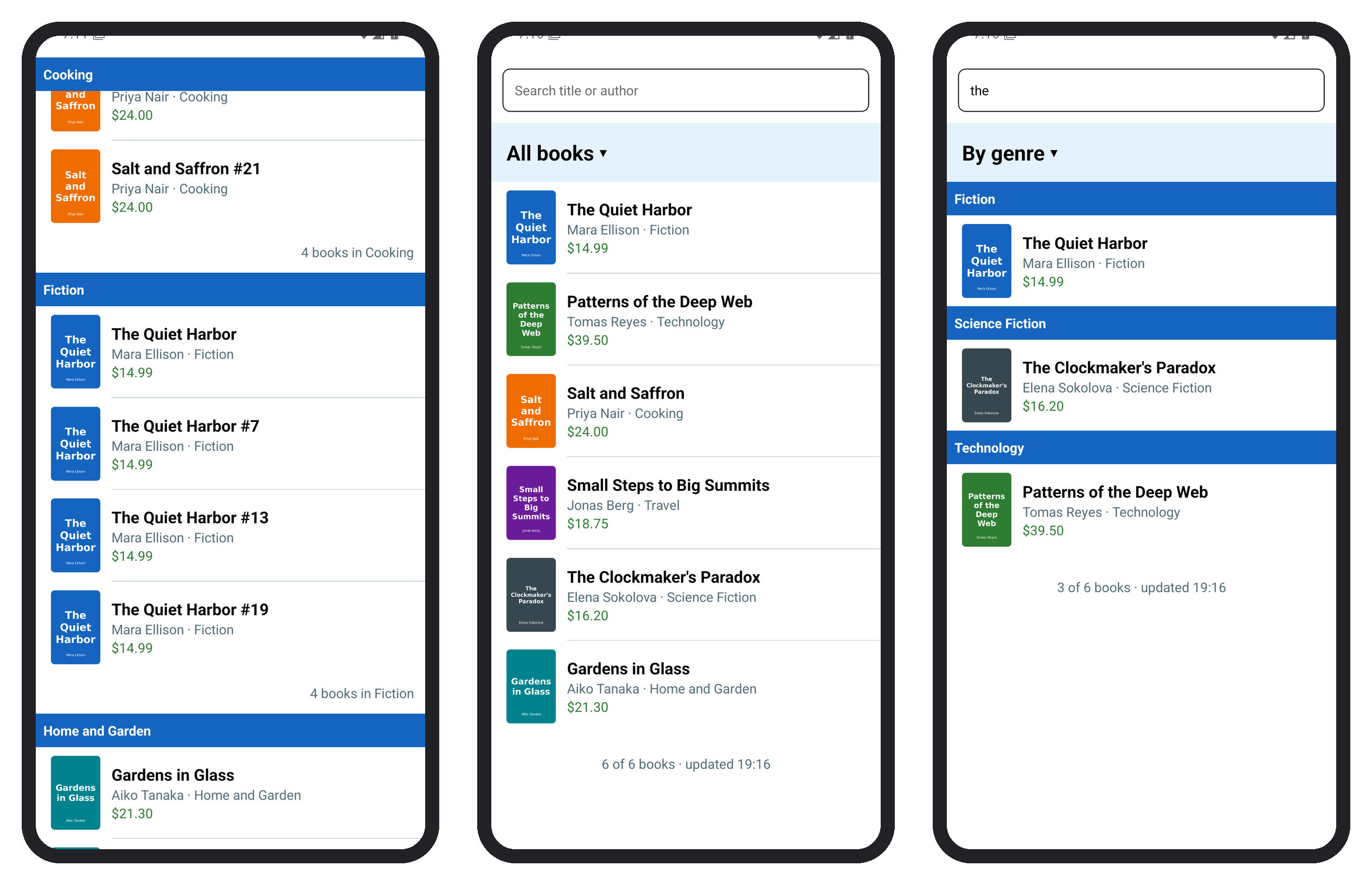
useMemo refilters only when the books or the query change, keyboardShouldPersistTaps="handled" lets a row respond while the keyboard is open, and the empty component answers a search with no hits. Typing "the" left three books, and the toggle regrouped them under Fiction, Science Fiction and Technology. Query and Zustand moves the books to TanStack Query 79,069 and Navigation opens a book's detail screen from BookRow's onPress.