For development, a 20-line Node script, make-covers.mjs, draws one 400 x 600 PNG per book with ImageMagick 7 3,122 (a solid color, title and author) and writes each cover's blurhash, computed with the blurhash package from a 20 x 30 thumbnail, to assets/covers/blurhash.json; book 1's is T97M%pt:8{S9a#WC01Rk%fyFoft7.
The catalog shows a thumbnail beside each title, and tapping a row slides up a modal with the large cover, both drawn by one Cover component.
export function Cover({ book, style, fit = 'cover' }: CoverProps) {
  return (
    <Image source={coverUrl(book.id)} placeholder={{ blurhash: blurhash(book.id) }}
      contentFit={fit} transition={250} recyclingKey={String(book.id)} style={style}
      accessibilityLabel={`Cover of ${book.title}`} />
  );
}
// In Catalog: a FlatList of rows, each <Pressable onPress={() => setSelected(item)}>
<Modal visible={selected !== null} animationType="slide" backdropColor="#263238"
  onRequestClose={() => setSelected(null)}>
  {selected && (
    <Pressable style={styles.detail} onPress={() => setSelected(null)}>
      <Cover book={selected} style={styles.large} fit="contain" />
      <Text style={styles.summary}>{selected.summary}</Text>
    </Pressable>
  )}
</Modal>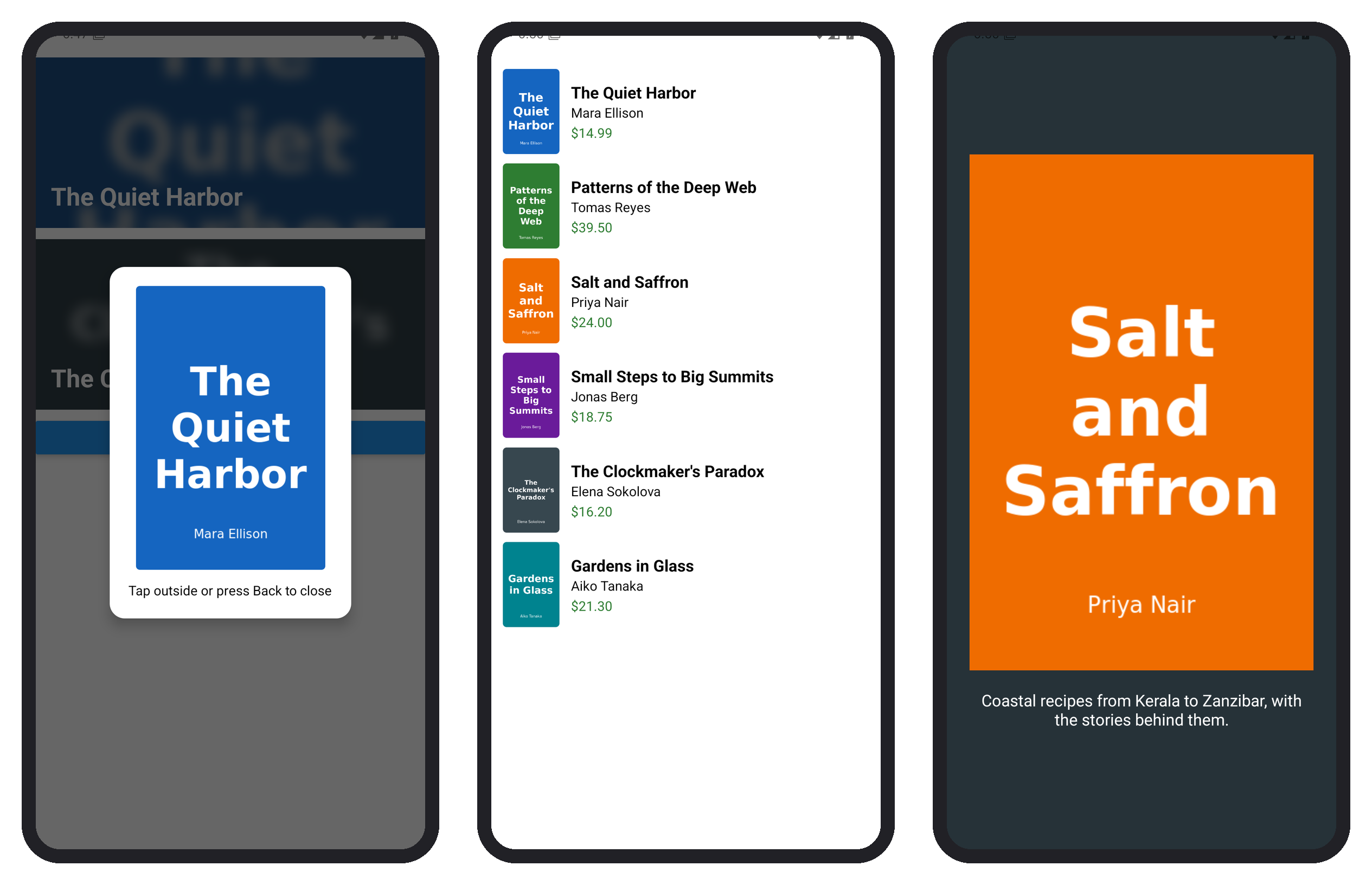
Thumbnails use cover so rows match; the modal uses contain so the whole cover fits. recyclingKey stops a recycled row from flashing the previous book's cover once the catalog becomes a virtualized list (Lists), and accessibilityLabel gives screen readers the title.