When frame and picture differ in shape, resizeMode decides what happens. The listing draws a 60 x 60 badge (a 1x PNG, so 60 x 60 dp) into six 160 x 100 frames.
const modes: ImageResizeMode[] = ['cover', 'contain', 'stretch', 'repeat', 'center', 'none'];
const badge = require('../assets/badge.png'); // 60 x 60 px, so 60 x 60 dp at 1x
// ...inside a wrapping row, one frame per mode:
{modes.map((mode) => (
  <View key={mode} style={styles.cell}>
    <Image source={badge} resizeMode={mode} style={styles.box} />
    <Text>{mode}</Text>
  </View>
))}
// styles.box: { width: 160, height: 100, backgroundColor: '#eceff1' }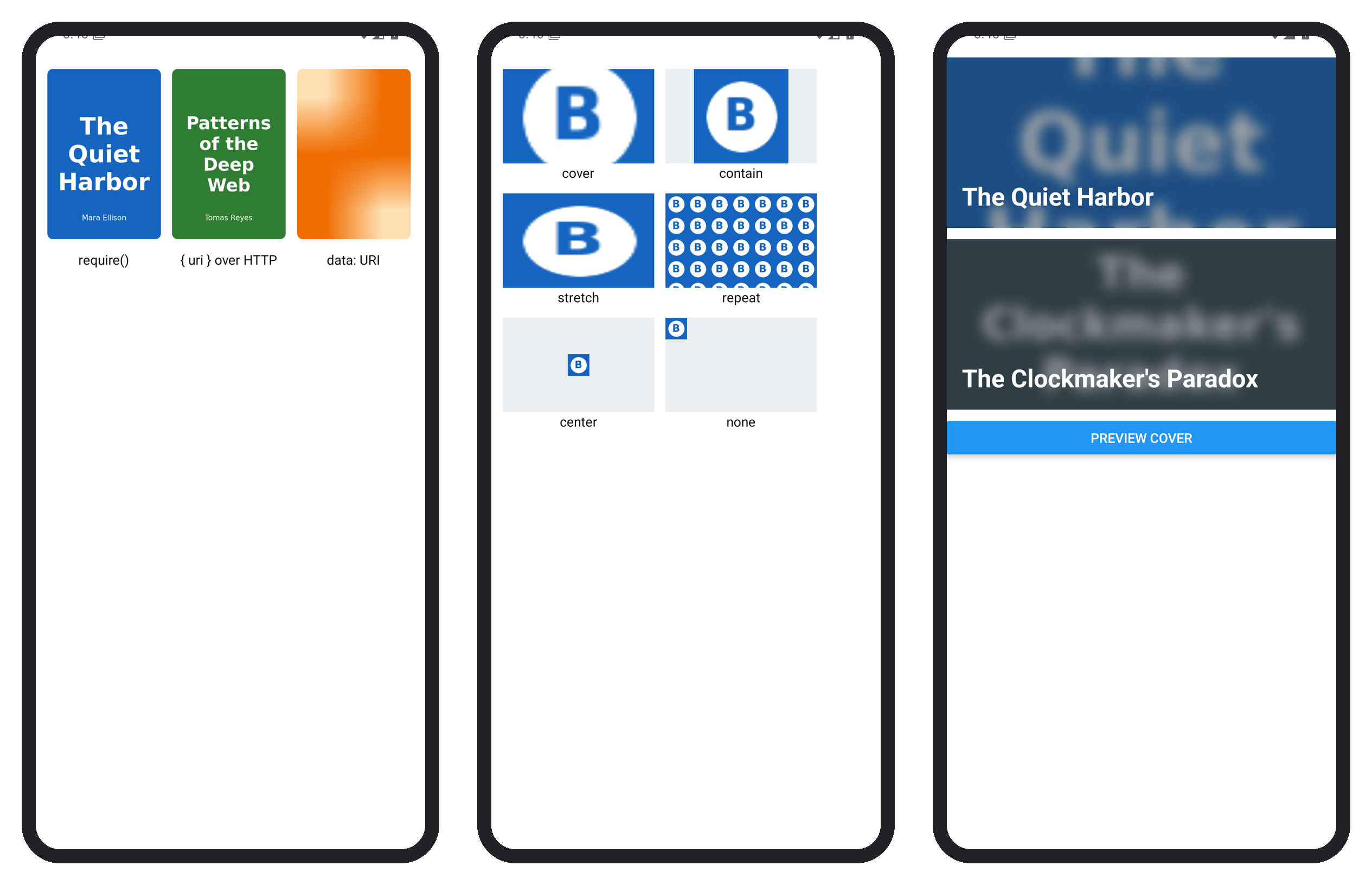
cover fills and crops, contain fits, stretch distorts, repeat tiles, center leaves the small badge at 60 x 60, and none draws it at its own size in the corner. The objectFit style takes the CSS names, and on Android resizeMethod="resize" downsamples a large photo while decoding it.
The core Image has no cache of its own. On Android it uses Meta's Fresco 17,155 (3.6.0 in React Native 0.86 36,878 ), which caches decoded bitmaps in memory and compressed bytes in memory and on disk; on iOS, RCTImageLoader uses NSURLCache and a 20 MB NSCache.