Readers return to the same few books, and Android lets an app ask the launcher to pin a shortcut that opens a specific screen. No Expo 6,418 package wraps ShortcutManager.requestPinShortcut(), which makes it a fair job for BookNest's Expo Module. The shortcut's intent is the deep link from Deep Links, so Expo Router 6,418 does the rest:
    AsyncFunction("pinBookAsync") { id: Int, title: String ->
      val shortcuts = context.getSystemService(ShortcutManager::class.java)
      if (!shortcuts.isRequestPinShortcutSupported) return@AsyncFunction false
      val open = Intent(Intent.ACTION_VIEW, Uri.parse("booknest:///book/$id"))
        .setPackage(context.packageName)
      val info = ShortcutInfo.Builder(context, "book-$id")
        .setShortLabel(title.take(25))
        .setIcon(Icon.createWithResource(context, context.applicationInfo.icon))
        .setIntent(open)
        .build()
      shortcuts.requestPinShortcut(info, null)
    }
The book screen shows a "Pin to home screen" button on Android only (Platform.OS === 'android') that awaits BookNestDevice.pinBookAsync(book.id, book.title). The launcher, not the app, asks the user to confirm:
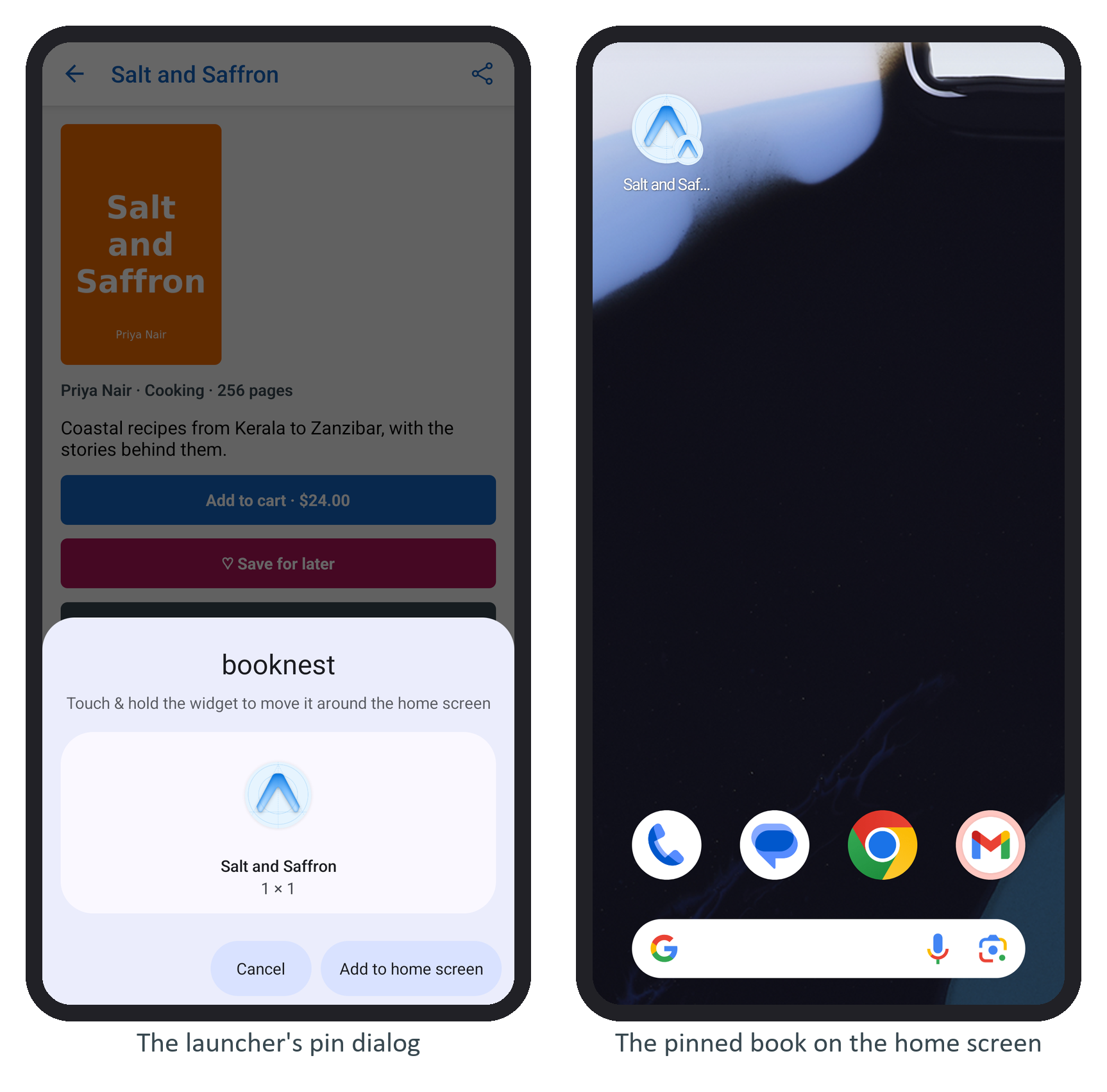
The tap logged pin requested: true. With BookNest stopped, tapping the new icon cold-started the app straight onto the book:
 LOG  incoming link: booknest:///book/3 (cold start)
...
 LOG  path: /book/3
true means the request reached the launcher, not that the user accepted; pass an IntentSender as the second argument if you need the answer. All of this section's native code is rebuilt from source by one npx expo prebuild --clean.